
In the world of modern SEO, Structured Data (Schema.org) is no longer just a trend—it is a technical necessity. According to official Google documentation, this markup helps search engines generate rich snippets, which significantly increase the click-through rate (CTR) of your pages in search results.
We constantly work with our clients’ marketing teams to optimize their websites, and automating microdata is one of the requests we are frequently asked to implement. Over time, we have developed an approach that eliminates routine for content managers and guarantees the technical accuracy of the data.
The Problem: Routine and the Risk of “Data Mismatch”
Of course, the web is full of free FAQ Schema generators. You can manually copy each question and answer into them, generate the JSON-LD code, and paste it into the page header. But at scale, this becomes a nightmare for the marketing department.
What are the other options, and what are their downsides?
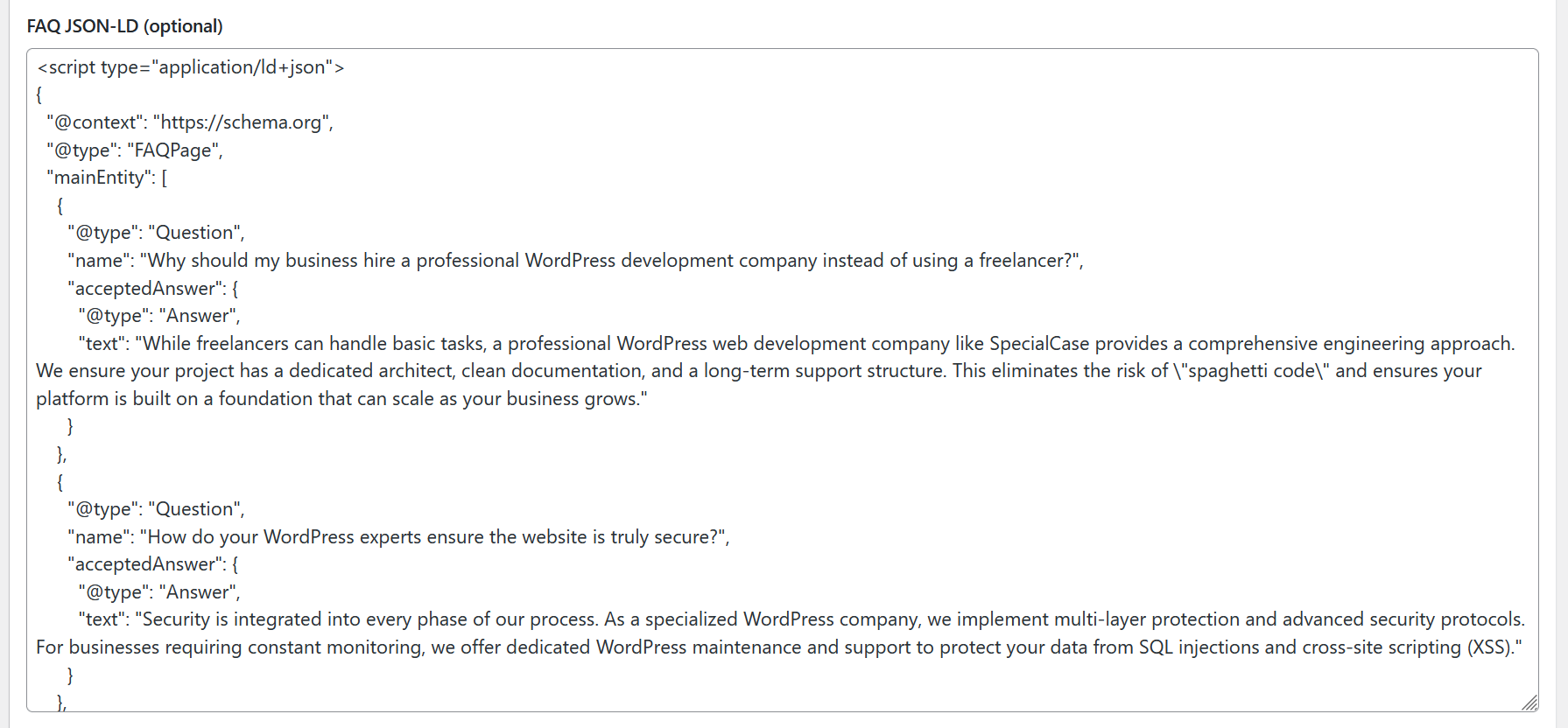
Often, websites use a dedicated custom field (ACF) for a page or post, where the admin simply pastes the pre-generated microdata. This is a functional workaround, but it has one critical flaw: the need for constant manual control.
- If you edit the wording of a question or answer in the main body of the page, you must remember to update the code in the custom field as well.
- Skipping this step even once leads to the data on the page failing to match Schema.org standards, which negatively impacts search engine trust and snippet display.
Our Solution: Automatic “On-the-Fly” Parsing
Since this process requires optimization, we implemented content parsing logic that works directly within your page builder (Gutenberg, Elementor, etc.).
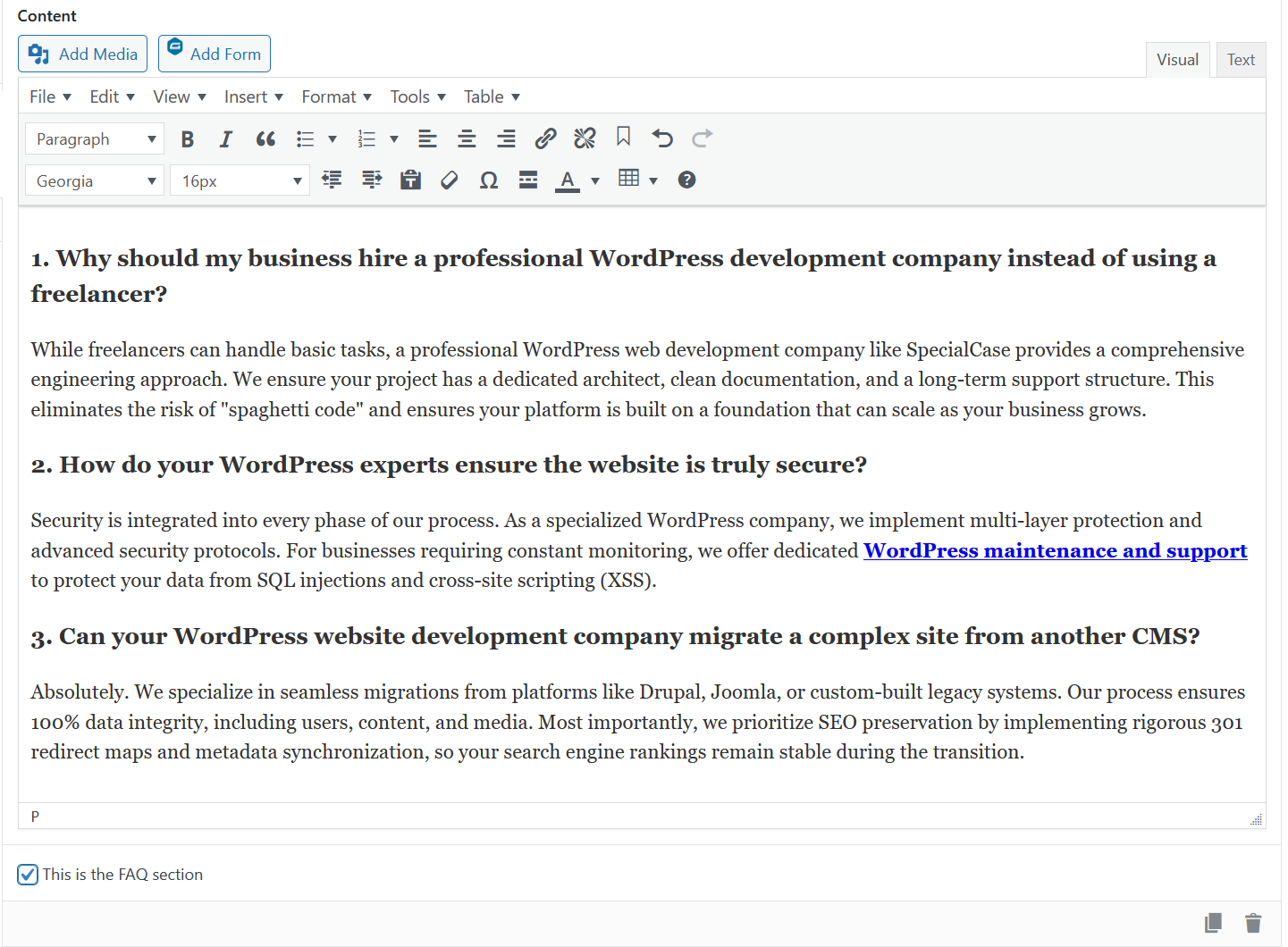
Instead of forcing you to fill out redundant fields or use third-party services, we added a simple “Enable FAQ Schema” option to the settings of standard text blocks.
How it works technically:
- A Single Toggle: You simply mark the desired text block as the source for the FAQ.
- Smart Parsing: The system scans the content: headings (h3, h4) automatically become “questions” (name), and the following paragraphs (p) become “answers” (acceptedAnswer), as required by Google Search Console guidelines.
- Zero Redundancy: If you change the text in the block, the microdata updates instantly. You no longer need to monitor data consistency across different fields—the site does it for you.
The Results: SEO Impact Without the Human Factor
This approach provides three major advantages:
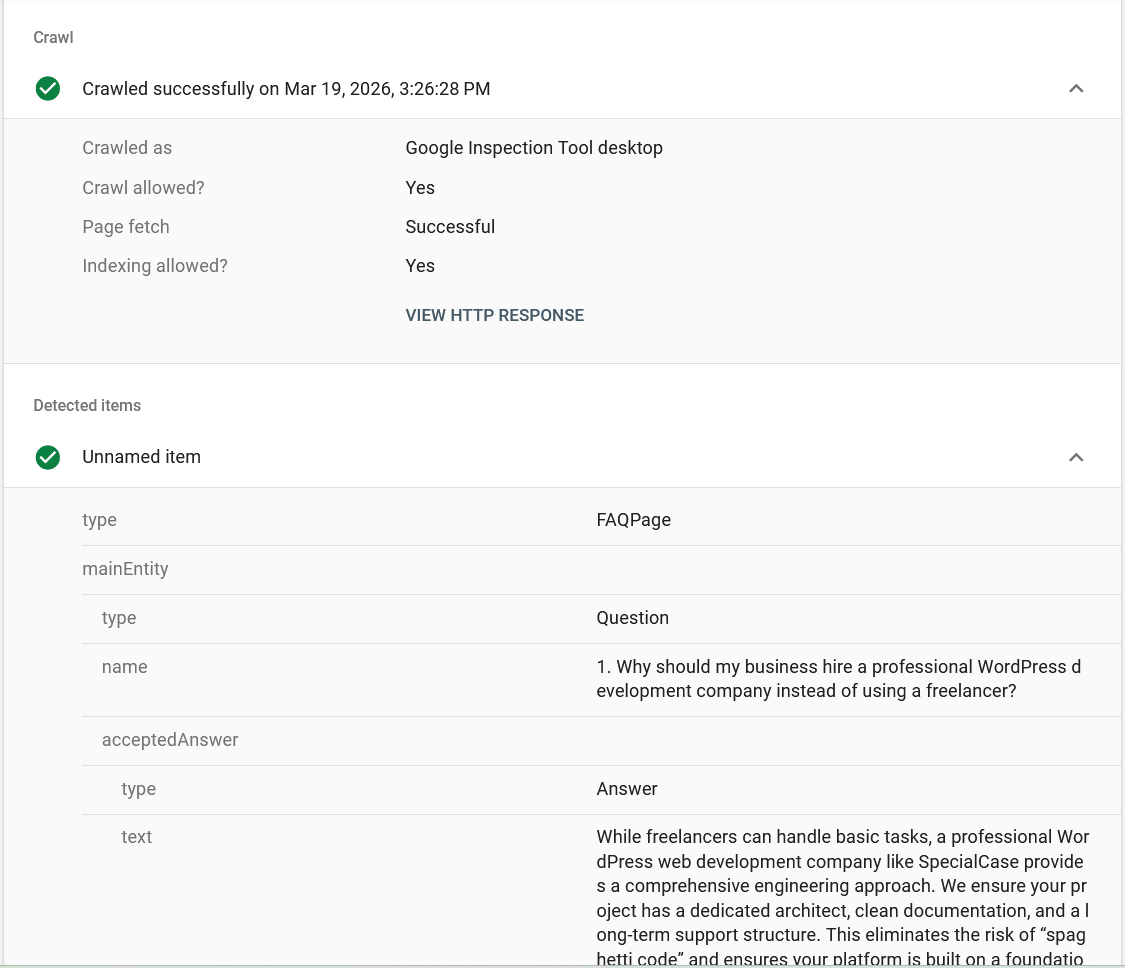
- Elimination of Errors: There is no longer a risk that the text in the Google snippet will differ from the text on the site.
- Scaling Speed: Creating a new landing page with marked-up FAQ now takes the same amount of time as entering regular text.
- Clean Code: No extra fields in the database—just valid JSON-LD generated from the actual content of the page.
Why the Engineering Approach Wins
At Special Case, we believe that professional WordPress development should solve business pain points. FAQ Schema automation is an example of how a targeted technical solution removes routine and allows your team to focus on strategy rather than checking for matching text in microdata code.
If your project has grown and manual control of SEO data is consuming too many resources, this type of optimization is an excellent investment in your team’s productivity. We successfully implement this solution as part of custom WordPress theme engineering for our clients.
Engineering Insights & FAQ
Will this automated markup pass Google’s validation?
Yes. The logic generates 100% valid JSON-LD. You can verify any page using the Google Rich Results Test to ensure your snippets are eligible for display.
Does content parsing affect site loading speed?
No. The mechanism runs on the server side at the time of page rendering or is cached as static HTML. Unlike heavy SEO plugins, this solution adds zero overhead and does not affect Core Web Vitals scores.
Why is this better than standard FAQ blocks in SEO plugins?
Plugins often force you to manage text in two different places. Our “Single Source of Truth” strategy ensures that any change in the visual editor is instantly reflected in the schema, eliminating data mismatch.