Custom WordPress Plugin Development for Complex Business Logic

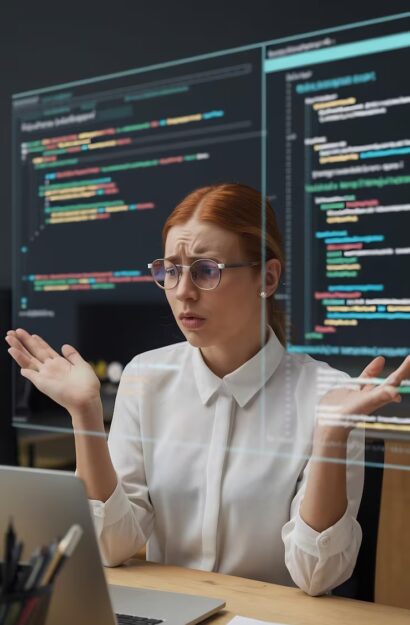
High-tech digital engine of a custom WordPress plugin illustrating performance-driven engineering and clean code structure.
Why Custom Plugin

Strategic Advantages of Custom Plugins

Choosing custom engineering over off-the-shelf components provides a strategic edge by eliminating the “feature bloat” inherent in public plugins. Instead of settling for multipurpose tools that slow down your server, we build lightweight, purpose-driven code that performs only the specific tasks your business requires, ensuring maximum performance.

From a security perspective, custom-engineered plugins significantly reduce your attack surface. While public plugins are frequent targets for mass exploits, our solutions follow strict WordPress Coding Standards and the latest security protocols, making your logic far less vulnerable to automated threats. Furthermore, by using official WordPress APIs and hooks exclusively, we guarantee seamless core compatibility, ensuring your custom features remain stable and functional through future WordPress updates.

Ultimately, custom development is an investment in intellectual property. By moving away from “Pro” versions and recurring licensing fees, you gain 100% control over your source code. This eliminates dependency on third-party developers and provides a clean, scalable asset that is perfectly aligned with your long-term infrastructure goals.

🏗️

Don't adapt your business to a plugin. Build a plugin for your business.

Why Us

Our Plugin Engineering Services

Our approach to plugin development focuses on solving complex functional challenges through clean, high-performance engineering. We specialize in building robust connectors that bridge the gap between WordPress and your business ecosystem, including seamless integrations with CRM systems like Salesforce and HubSpot, ERP platforms, and proprietary data flows.

Beyond backend logic, we enhance the editorial experience by developing bespoke, React-based Gutenberg block libraries that allow your team to manage sophisticated layouts while maintaining strict design system integrity. For high-traffic environments, we engineer performance-critical modules—such as advanced search algorithms and real-time data processing engines—designed to handle heavy server-side operations without compromising speed.

Additionally, we provide deep-level technical audits and refactoring for legacy plugins. Our team identifies security vulnerabilities and rewrites inefficient code, transforming buggy or outdated tools into stable, scalable assets that support your long-term business growth.

High-performance WordPress plugin engineering schematics showing modular backend logic and advanced data processing.

Why Partner with Special Case for Plugin Engineering?

Our Plugin Development Process

The Lifecycle of High-Performance Engineering

Our development lifecycle is built on transparency, technical precision, and a commitment to clean code. We don’t just "write plugins"—we architect scalable system components. By following a structured process from deep discovery to automated testing, we ensure that every custom solution is secure, maintainable, and perfectly aligned with your infrastructure.

Start Your Project
01

Technical Discovery & Mapping

We start by defining the plugin's architecture, including data structures, required WordPress hooks, and any necessary external API endpoints.

02

Prototyping & Logic Design

Before writing the final code, we map out the logic flow to ensure the plugin will be intuitive for admins and efficient for the server.

03

Modular Agile Development

Using a modular approach, we build the plugin in sprints. This allows for continuous testing and ensures that the code remains clean and scalable.

04

Rigorous Unit & QA Testing

We perform automated unit testing and manual QA to ensure the plugin works perfectly across different server environments and WordPress versions.

05

Deployment & Documentation

We manage the rollout to your production site and provide comprehensive technical documentation, so your internal team knows exactly how the plugin works.

Modern Tech Stack for Enterprise WordPress Development

Expert Insights on WordPress Development

Can you extend the functionality of an existing third-party plugin?

Yes. We follow the “don’t touch core” principle. Instead of modifying the original plugin’s code (which would prevent you from updating it), we use available hooks and filters to create a “bridge” or “addon” plugin. This ensures your site stays functional and you can still receive official security updates from the original provider.

How do you ensure the plugin won’t slow down my site?

We prioritize performance at the database and server levels. This includes using the WordPress Transients API for caching expensive calculations, optimizing SQL queries to avoid “slow logs,” and ensuring that scripts and styles are only loaded on the specific pages where the plugin is active, rather than site-wide.

Do you provide technical documentation for the custom code?

Absolutely. Every plugin we deliver comes with comprehensive documentation. This includes an overview of the architecture, a list of custom hooks for future extensibility, and inline code comments following PHPDoc standards. Any professional developer will be able to step in and maintain the code in the future.

Can your plugins work in a Headless WordPress setup?

Yes. We specialize in building “decoupled-ready” plugins. We can expose your plugin’s custom logic and data through the WP REST API or GraphQL endpoints, allowing it to serve as a backend engine for mobile apps or modern frontend frameworks like React, Next.js, or Vue.

What happens if a WordPress update breaks the plugin?

By sticking strictly to official WordPress APIs and avoiding “hacky” workarounds, we minimize this risk to nearly zero. However, we also offer proactive maintenance plans where we test your custom plugins in a staging environment before every major WordPress release to ensure 100% uptime.

Do you follow WordPress Coding Standards (WPCS)?

Yes. Our code is regularly audited using PHP_CodeSniffer with WordPress-Specific rules. This ensures that the plugin is secure, follows naming conventions, and is compatible with the broader WordPress ecosystem and hosting environments like WP Engine, Kinsta, or VIP.

Can you migrate data from a legacy system into a new custom plugin?

Migration is a core part of our service. Whether you are moving from a custom CRM, a spreadsheet, or another CMS, we build custom migration scripts to map and import your data into the new plugin’s data structure while maintaining 100% data integrity.

How do you handle plugin security and data protection?

We implement multiple layers of security, including Nonce verification (to prevent CSRF attacks), strict data sanitization on input, and escaping on output. For plugins handling sensitive data, we ensure compliance with GDPR and other relevant data protection standards.

Can a custom plugin manage high-volume scheduled tasks?

Yes. For tasks like syncing thousands of products or sending bulk notifications, we move the heavy lifting away from the standard WP-Cron. We configure server-level Crontabs or use specialized libraries to ensure background tasks run reliably without affecting the user experience on the frontend.

Who owns the rights to the custom plugin once it’s finished?

You do. Once the final payment is made, 100% of the intellectual property and source code belongs to your company. You are free to modify it, redistribute it, or even sell it as a standalone product.


Other Development Services

Free Project Estimation and Consultation